Introduction
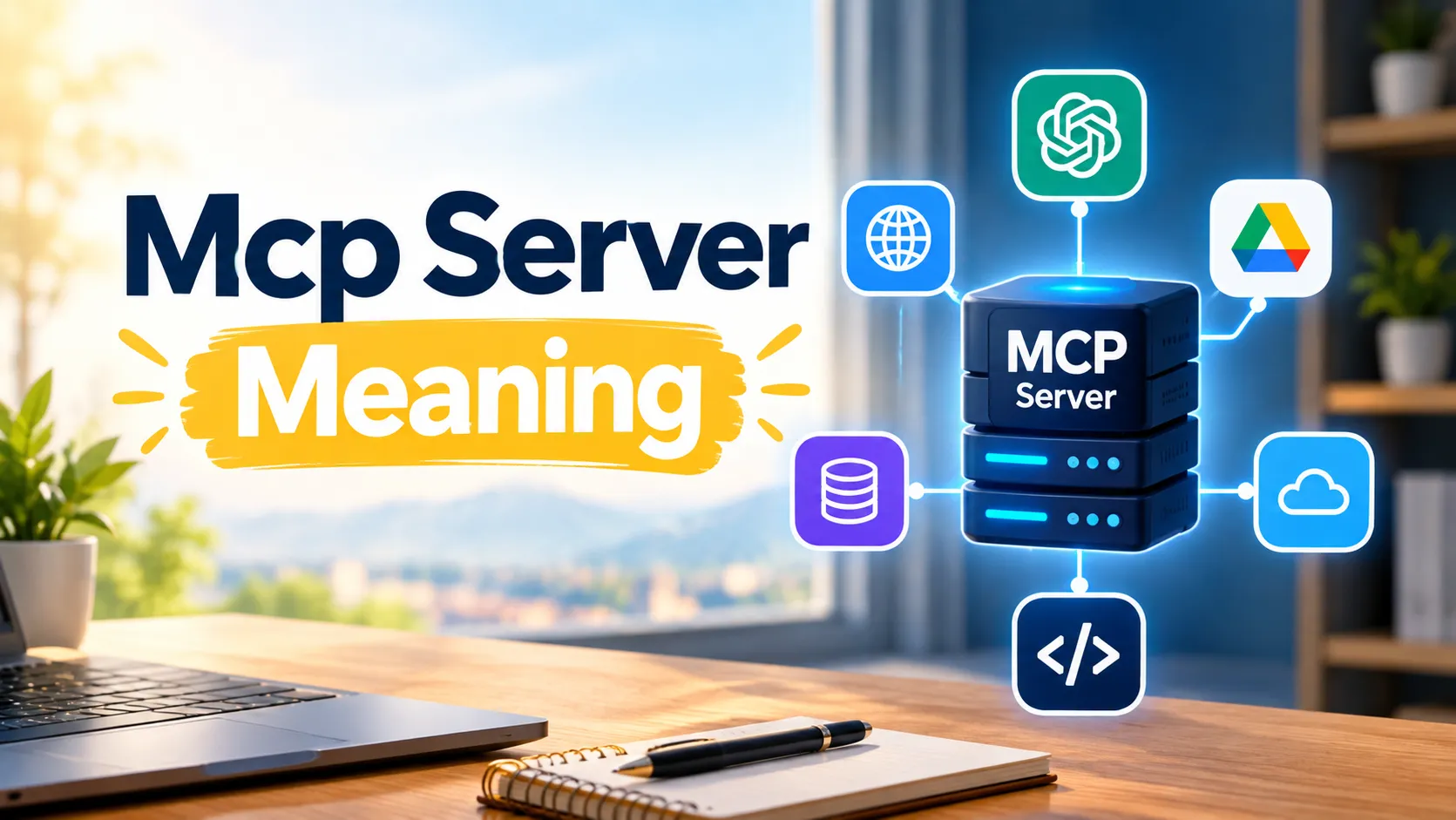
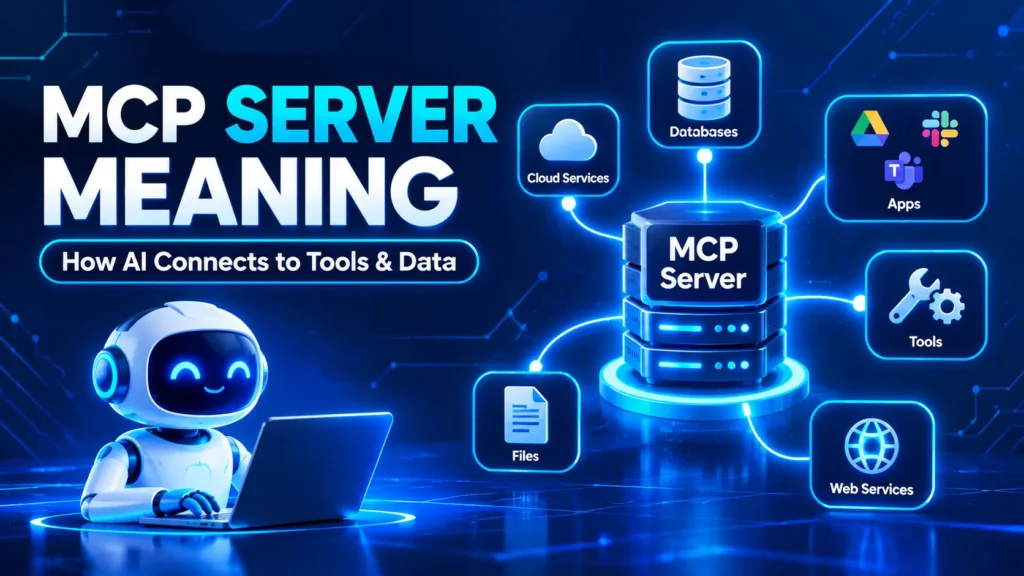
MCP Server Meaning refers to a program or service that connects compatible AI applications to external tools, data sources, and services through the Model Context Protocol (MCP). This connection lets an AI application retrieve information or perform supported actions instead of relying only on what’s already in its conversation.
For example, an AI coding assistant could use an MCP server to search GitHub issues, inspect project files, or retrieve information from a database. The server provides access to those capabilities, while the AI application coordinates how they are used.
In this beginner-friendly guide, you will learn what MCP stands for, how an MCP server works, how it differs from an API, and how to use one safely.
1. What Is an MCP Server?
An MCP server is a program or service that exposes specific capabilities to compatible AI applications through the Model Context Protocol. These capabilities can include retrieving information, running tools, or providing reusable prompt templates.
Think of an MCP server as a bridge between an AI application and an external service. Instead of building a completely different integration for every AI application, developers can use a standardized protocol to connect compatible systems.
For example, imagine asking an AI assistant to find all unresolved bugs in a software project. An appropriate GitHub MCP server could expose a search tool that retrieves relevant issues. The assistant could then summarize the results.
An MCP server does not necessarily contain an AI model. Its primary purpose is to make selected tools and information available through a standard interface.
In simple words: An MCP server helps an AI application connect to external tools and data so it can do more than generate text.
2. What Does MCP Stand For?
MCP stands for Model Context Protocol. It is an open protocol designed to standardize how AI applications communicate with external tools and data sources.
Anthropic introduced MCP in November 2024. The protocol provides a shared approach to connecting AI applications with systems such as databases, file systems, development tools, and business software.
Consider how different devices use standardized connections to communicate. MCP applies a similar idea to AI integrations: compatible applications can communicate with compatible servers through a common protocol.
However, MCP does not automatically make every AI application compatible with every service. The client and server must support compatible capabilities and communication methods, and the connection must be configured appropriately.
MCP also does not determine how an AI model reasons or guarantees that its answers are correct. It standardizes communication so an application can access supported external capabilities.
3. How Does an MCP Server Work?
An MCP server works by exposing capabilities that a compatible AI application can discover and use. When a user requests a task, the application can select an appropriate capability, send a request, and use the returned information to generate a response.
A typical interaction follows these steps:
- Connection: The AI application connects to an MCP server.
- Discovery: The client discovers the server’s available capabilities.
- Request interpretation: The AI model interprets the user’s request and determines whether an available tool could help.
- Tool selection: The application selects a suitable tool when the workflow and permissions allow it.
- Request processing: The server validates the request and interacts with the relevant external service.
- Result delivery: The server returns the result to the client.
- Response generation: The AI application uses the result to answer the user or continue the task.
For example, suppose you ask an AI assistant, “Find GitHub issues related to the login error.”
The assistant may identify a suitable search tool, request the relevant issues through an MCP connection, receive the results, and summarize the findings. Depending on the application, some operations may require user approval.
The exact process depends on the AI host, model, server implementation, supported capabilities, and configured permissions.
4. What Are the Main Components of MCP Architecture?
MCP uses a host-client-server architecture. Understanding these three components makes the protocol much easier to understand.
MCP Host
The host is the main AI application that coordinates the interaction. It manages the conversation, works with the AI model, and manages connections to MCP servers.
Examples of applications that can act as MCP hosts include compatible coding assistants and AI desktop applications.
MCP Client
The client is the component responsible for communicating with an MCP server. It handles protocol messages, capability discovery, and the connection to that server.
A single host can maintain connections to multiple servers through separate MCP client instances.
MCP Server
The server exposes the capabilities that the client can discover and use. Depending on its implementation, it may provide tools, information, or reusable prompt templates.
External Service or Data Source
The server can connect to an external system, such as a database, repository, file system, or business application.
Here is the relationship in simple terms:
| Component | Main responsibility |
| Host | Coordinates the AI application and workflow |
| Client | Communicates with the MCP server |
| Server | Exposes tools and information |
| External service | Supplies data or performs the requested operation |
| AI model | Interprets requests and helps generate responses |
The host, client, and server have different responsibilities. Keeping them separate makes integrations easier to understand, develop, and maintain.
5. What Can an MCP Server Do?
MCP Servers can provide several capabilities, depending on what their developers implement. Three important building blocks are tools, resources, and prompts.
Tools
Tools are executable functions that an AI application can invoke to perform operations.
Examples include:
- Searching a software repository.
- Querying a database.
- Creating a task in a project management system.
- Retrieving information from an external API.
- Reading or modifying permitted files.
A tool generally has a name, description, and defined input structure. These details help the application determine how to call it.
Resources
Resources provide information that an application can retrieve as context. Examples include documentation, project files, database schemas, and other supported data.
Resources primarily represent information rather than executable actions, although the exact interaction depends on the client and server implementation.
Prompts
Prompts are reusable templates that help users or applications perform particular tasks. A server might provide a template for summarizing documentation, reviewing code, or investigating an error.
Not every server supports all three features. The available capabilities depend on the implementation and the client’s support.
6. What Are Some Real-World MCP Server Examples?
Real-world examples show why MCP servers are useful. They connect abstract protocol concepts to tasks people already understand.
GitHub MCP Server
A compatible GitHub integration can expose tools for searching issues, inspecting repository information, or performing other supported development tasks.
For example, a developer could ask an AI assistant to find unresolved issues related to a particular error. The assistant could retrieve matching results and summarize the common problems.
Database MCP Server
A database server can expose approved methods for retrieving information from a database.
A business analyst might ask an AI assistant to summarize monthly sales. If the application has permission to query the relevant records, it can retrieve the data and help explain the results.
Read-only access is a sensible starting point when the task does not require changing database records.
File System MCP Server
A file system server can expose access to permitted files and directories.
For example, a coding assistant might search project documentation, inspect configuration files, or retrieve information from a README file.
The server should have access only to the directories and operations required for the task.
Browser Automation MCP Server
A browser automation server can expose supported browser actions to a compatible AI application.
Depending on the implementation, this could allow the application to navigate websites, inspect page content, or interact with web elements.
Browser automation can introduce risks when websites contain malicious instructions, or actions affect sensitive accounts. Permissions and safeguards remain important.
These are examples of possible integrations, not a guarantee that every MCP server supports the same functions.
7. What Is the Difference Between an MCP Server and an API?
An API is an interface that allows software systems to communicate. An MCP server is a program or service that exposes selected capabilities through the Model Context Protocol.
MCP does not replace APIs. An MCP server can use an existing API internally and expose selected operations through a standardized interface for compatible AI applications.
| Feature | MCP server | Traditional API |
| Main purpose | Exposes capabilities through MCP | Provides an interface for software communication |
| Interface | MCP protocol messages | The API’s defined interface |
| AI integration | Designed for compatible AI workflows | May require additional integration work |
| Available functions | Tools, resources, prompts, and supported extensions | Depends on the API |
| Authentication | Depends on transport and configuration | Depends on the API and service |
| Relationship | Can act as an adapter to an API | Can be used internally by an MCP server |
For example, a project management platform might offer an API for searching tasks. An MCP server can expose a suitable search operation so a compatible AI assistant can discover and use it.
The important distinction is that an API provides an interface, while an MCP server provides an MCP-compatible way to expose selected functionality.
Developers still need to implement, configure, secure, and maintain the integration.
8. What Is the Difference Between an MCP Server and an AI Model?
An AI model interprets requests, generates responses, and reasons using the information available to it. An MCP server exposes external capabilities that a compatible AI application can use.
Imagine asking an AI Assistant to check the latest status of a private software issue.
The model may understand your request, but it cannot retrieve that private information without an appropriate connection and permission.
An MCP server can provide a supported way to retrieve the issue details. The AI application can then use the result to formulate an answer.
| AI model | MCP server |
| Interprets user requests | Exposes external capabilities |
| Generates responses | Provides access to supported data or actions |
| Uses available context | Can retrieve additional information |
| Does not inherently have access to every external system | Access depends on its configuration and permissions |
An MCP server is not automatically an AI agent. Connecting one also does not guarantee that an AI model will choose the correct tool or interpret every result accurately.
Related To Another Article: https://genzwishes.com/311-angel-number-meaning/
9. What Is the Difference Between Local and Remote MCP Servers?
MCP servers can run locally on a user’s machine or remotely on a separate system.
Local MCP Servers
A local server runs in the user’s local environment, often as a process started by the AI application.
Common uses include accessing permitted files, working with development tools, and connecting to resources on the same machine.
Local deployment can be convenient, but it does not automatically make a server safe. Its operating-system permissions and access to files or credentials still matter.
Remote MCP Servers
A remote server runs on a separate computer or hosted service and communicates with the client over a network.
Remote servers can help teams access shared integrations without requiring every user to run the same server locally.
They also require appropriate network security, authentication, authorization, and operational monitoring.
| Feature | Local server | Remote server |
| Where it runs | Local machine or environment | Separate or hosted system |
| Typical use | Local files and development tools | Online services and shared integrations |
| Common transport | Often standard input/output (stdio) | Often Streamable HTTP |
| Main security concerns | Process permissions and local access | Authentication and network security |
| Deployment | Often configured on the user’s machine | Often managed on a server or cloud platform |
Choose the deployment model that suits the task, the available client, and the security requirements.
10. What Are the Main Benefits of MCP Servers?
MCP servers can make AI integrations more consistent and useful when they are implemented and configured properly.
Standardized communication: A shared protocol can reduce the need to build a different communication interface for every compatible AI application.
Access to external information: AI applications can retrieve approved data from connected systems instead of relying exclusively on information already in the conversation.
Task automation: Servers can expose operations that help applications search records, create tasks, or perform other supported actions.
Reusable integrations: Developers can make an integration available to multiple compatible clients, subject to their capabilities and configuration.
Flexible deployment: Developers can choose local or remote hosting based on operational requirements.
Controlled capabilities: A server can expose selected operations instead of granting an application unrestricted access to an entire service.
However, these benefits depend on implementation quality. MCP does not automatically eliminate integration work, improve a model’s reasoning, or guarantee accurate results.
11. What Are the Risks and Limitations of MCP Servers?
MCP servers can extend an AI application’s capabilities, but they also introduce security and reliability considerations.
Excessive Permissions
A server may have access to sensitive documents, private records, or operations that change external systems. Unnecessary permissions can increase the consequences of a mistake or misuse.
How to reduce the risk: Grant only the access required for the task. Use read-only permissions when possible.
Prompt Injection
External content returned by a tool may contain malicious instructions. An AI application could mistakenly treat those instructions as trustworthy.
How to reduce the risk: Treat retrieved content as untrusted data, apply appropriate safeguards, and require confirmation for sensitive operations.
Untrusted Servers
A malicious or poorly maintained server could expose information, misuse credentials, or perform unexpected actions.
How to reduce the risk: Verify the developer, review the documentation, inspect permissions, and avoid connecting servers from sources you cannot trust.
Authentication Problems
Remote servers may require authentication tokens or other credentials. Poor configuration can prevent access or expose sensitive information.
How to reduce the risk: Follow official authentication instructions and store credentials securely.
Compatibility and Reliability Issues
A server may stop working because of network problems, changes to an external API, incompatible protocol versions, or incorrect configuration.
How to reduce the risk: Check compatibility, monitor failures, and keep integrations maintained.
MCP standardizes communication; it does not guarantee security. The server, host application, connected service, and user configuration all contribute to the overall risk.
12. How Do You Use an MCP Server?
The setup process varies by AI application and server, but beginners can follow a general workflow.
Step 1: Identify Your Goal
Decide what you want the AI application to do. For example, you might need to search project issues, retrieve documentation, or query a database.
Step 2: Choose a Compatible Server
Find a server that exposes the capabilities you need. Review its documentation, maintenance status, supported applications, and security practices.
Step 3: Check the Connection Method
Local servers may use standard input/output (stdio), while remote servers may use Streamable HTTP. Your AI application must support the relevant connection method.
Step 4: Follow the Official Setup Instructions
Depending on the implementation, setup may require a command, endpoint URL, configuration settings, or authentication.
Do not copy commands or configuration files from unknown sources without understanding what they do.
Step 5: Review Permissions
Check what information the server can access and which actions it can perform. Disable unnecessary capabilities and begin with limited permissions.
Step 6: Test a Low-Risk Task
Try a simple task, such as searching a test repository or retrieving non-sensitive documentation. Confirm that the results match your expectations.
Step 7: Monitor and Maintain
Keep the server updated, review permissions regularly, and investigate unexpected behavior.
For exact instructions, use the documentation for your selected AI application and MCP server. Setup requirements are not identical across all clients.
13. Is an MCP Server Safe to Use?
An MCP server can be used safely when it comes from a trustworthy source and has suitable security controls. However, protocol compatibility alone does not establish that a server is safe.
Before connecting a server, ask yourself:
- Do I trust the developer or organization maintaining it?
- What files, accounts, or records can it access?
- Can it change data, send messages, or perform other sensitive actions?
- Does it require authentication?
- Are credentials stored and transmitted securely?
- Can I disable tools I do not need?
- Does the application request confirmation for sensitive operations?
- Can I review activity or investigate unexpected behavior?
For remote servers, consider encrypted connections, proper authentication, authorization checks, and logging. For local servers, review operating-system permissions and the files or directories available to the process.
A server with read-only access to a test dataset presents a different risk from one that can modify production records. Evaluate actual capabilities rather than relying on a server’s name or popularity.
14. Who Should Use MCP Servers?
MCP servers can be useful for people and organizations that want compatible AI applications to interact with external services.
Developers can connect AI coding assistants to repositories, documentation, development tools, and supported testing environments.
Business teams can make approved information from project management, customer support, or internal systems available to compatible AI applications.
Data analysts can use suitable integrations to retrieve information from authorized data sources.
Organizations can develop or adopt shared integrations while establishing appropriate permissions, monitoring, and governance.
Beginners can explore MCP using a documented server and a low-risk task. They do not need to build their own server just to understand the concept.
An MCP server may be unnecessary if an AI application already offers the integration you need or if your task does not require external tools or data.
People Also Ask
A: An MCP server is a program or service that lets a compatible AI application access approved tools, information, or reusable prompts through the Model Context Protocol.
A: MCP stands for Model Context Protocol. It standardizes communication between compatible AI applications and external tools or data sources.
A: No. An API defines an interface for software communication, while an MCP server exposes capabilities through the Model Context Protocol. An MCP server can use an existing API internally.
A: No. An MCP server can expose tools and information without containing its own AI model. The host application generally coordinates the AI model and the server connection.
A: Yes, if it has been configured and authorized to access that data. The actual access depends on the server’s implementation, credentials, permissions, and connected systems.
Conclusion
Understanding the meaning of an MCP Server helps explain how modern AI applications connect to external tools, data, and services. An MCP server exposes selected capabilities through the Model Context Protocol, allowing compatible applications to retrieve information or perform supported operations.
The main distinction is straightforward: the AI model interprets the request, the host coordinates the workflow, the client communicates through MCP, and the server provides access to external capabilities.
MCP can make integrations more reusable and flexible, but it does not automatically make an AI system accurate or secure. Choose trustworthy servers, limit permissions, protect credentials, and test integrations carefully.
If this guide helped you understand MCP, bookmark it for future reference and explore related articles about APIs, AI agents, and AI tool integrations.
Disclaimer: This article is for educational purposes. Always review the official documentation and security requirements before connecting an MCP server to sensitive systems.